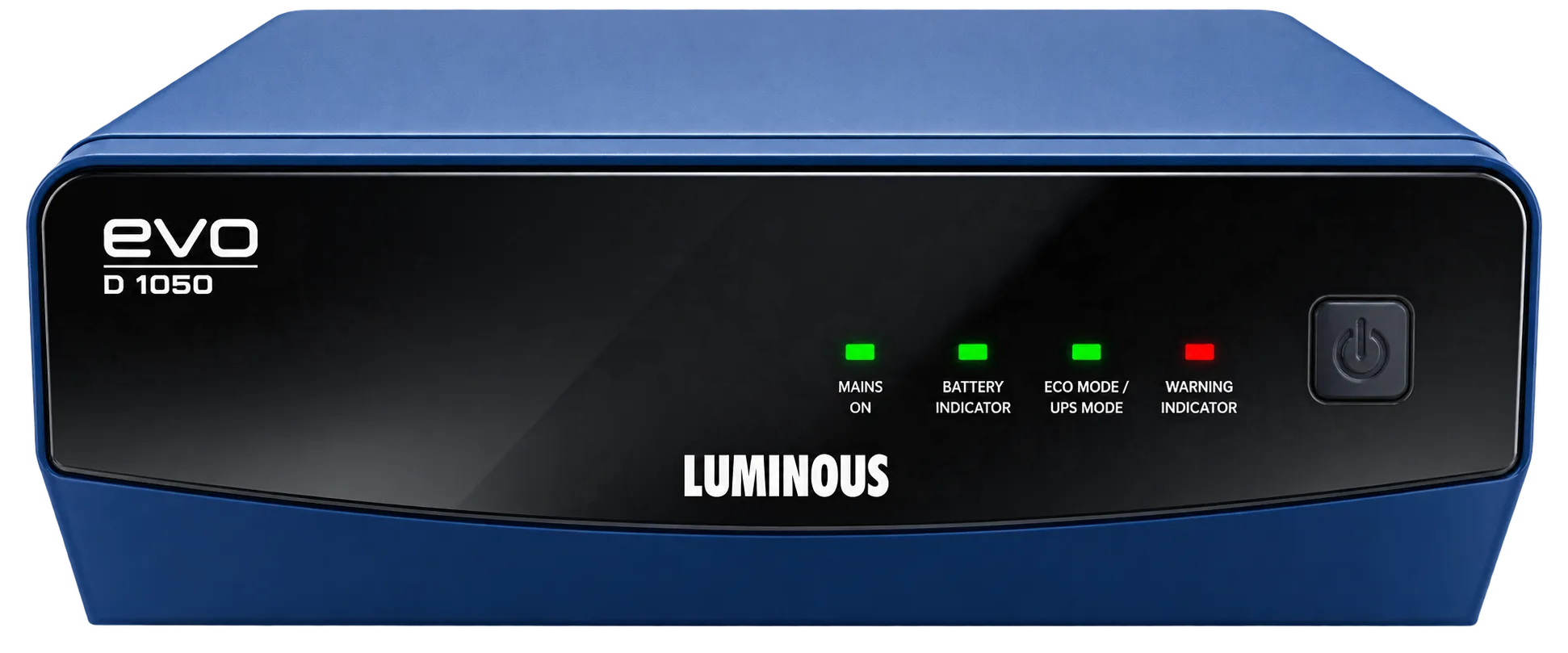
smart solar and power Luminous 1050VA IPS inverter is a compact solution designed for typical Bangladeshi households that need reliable backup for everyday appliances. With a capacity of 1050VA (750W), it can run up to five fans, seven lights, Wi‑Fi routers and charge mobile devices simultaneously. This guide explains the technology, installation steps, maintenance tips and common pitfalls, helping you make an informed decision.
smart solar and power Luminous 1050VA IPS inverter overview
The Luminous 1050VA – unofficial version belongs to the IPS (Inverter Power System) family. IPS technology provides a stable sine‑wave output that protects sensitive electronics from voltage spikes. The unit comes with a 24‑month warranty, reflecting the confidence of smart solar and power (স্মার্ট সোলার অ্যান্ড পাওয়ার) in its durability.
Key specifications at a glance
- Type: IPS inverter
- Brand: Luminous
- Capacity: 1050VA – 750W
- Warranty: 24 months
- Features: Supports 5 fans, 7 lights, Wi‑Fi, mobile charging
Why IPS matters for Bangladeshi homes
Bangladesh experiences frequent voltage fluctuations and occasional blackouts. An IPS inverter produces a clean, near‑pure sine wave, which reduces wear on appliances and extends their lifespan. Compared with modified‑sine wave models, IPS units avoid humming noises and overheating in devices such as televisions, routers and LED lights.
Choosing the right inverter for your solar home system
When selecting an inverter, consider the total load you expect during an outage. The Luminous 1050VA can comfortably handle a typical bedroom or small living area. If you plan to expand your solar array later, ensure the inverter’s input voltage range matches the future panel configuration.
Load calculation checklist
- List all essential appliances (fans, lights, router, phone charger).
- Check each appliance’s wattage rating.
- Add a safety margin of 20% to cover startup surges.
- Confirm the sum does not exceed 750W for continuous operation.
Compatibility with solar panels
The Luminous 1050VA works well with 150‑200W solar panels in a small off‑grid setup. Pair it with a lithium battery bank for longer autonomy. smart solar and power (স্মার্ট সোলার অ্যান্ড পাওয়ার) offers professional site surveys to match panel output with inverter capacity.
Installation best practices
Proper installation is critical for safety and performance. smart solar and power’s certified technicians follow a step‑by‑step process that includes mounting, wiring, grounding and commissioning.
Step‑by‑step guide
- Site assessment: Verify ventilation, clearances and proximity to the main distribution board.
- Mounting: Secure the inverter on a wall using the supplied brackets, keeping it at least 30 cm away from direct sunlight.
- Electrical connections: Connect the DC input cables from the battery bank, ensuring correct polarity. Attach AC output cables to the designated circuit breakers.
- Grounding: Attach a ground rod or use the building’s earthing system to prevent stray currents.
- Testing: Power on the inverter, check the display for voltage and frequency, and run a load test with a fan and a light.
For peace of mind, schedule a post‑installation inspection with smart solar and power. Their team will verify compliance with local regulations and fine‑tune settings.
Maintenance routine to extend lifespan
Regular upkeep keeps the inverter operating at peak efficiency. Follow these simple habits:
- Clean the vents: Dust buildup reduces cooling performance. Use a soft brush or compressed air every three months.
- Check battery health: Ensure terminal connections are tight and electrolyte levels (if applicable) are within limits.
- Monitor error codes: The LCD panel displays alerts. Refer to the user manual or contact smart solar and power for assistance.
- Software updates: Occasionally the manufacturer releases firmware patches. Install them through the inverter’s USB port.
Common maintenance mistakes to avoid
Do not spray water directly on the unit, avoid using abrasive cleaners, and never disconnect the battery while the inverter is powered on. These actions can damage internal components and void the warranty.
Comparing alternatives in the Bangladeshi market
Several brands offer 1 kVA inverters, but the Luminous 1050VA stands out for its IPS output, built‑in Wi‑Fi monitoring and robust warranty. Conventional modified‑sine models may be cheaper, yet they often cause flickering in LED lights and can shorten the life of sensitive electronics.
Feature comparison table
| Feature | Luminous 1050VA IPS | Typical Modified‑Sine |
|---|---|---|
| Waveform | Pure sine wave | Modified sine wave |
| Supported loads | Fans, lights, Wi‑Fi, mobile | Fans, lights only |
| Warranty | 24 months | 12‑18 months |
| Smart monitoring | Yes (Wi‑Fi) | No |
When you prioritize long‑term reliability and device safety, the IPS option is the wiser choice.
Integrating the inverter with a solar home system
smart solar and power (স্মার্ট সোলার অ্যান্ড পাওয়ার) designs complete solar solutions that include panels, lithium batteries and the Luminous 1050VA inverter. The system works in hybrid mode: it draws power from the grid when available, stores excess solar energy in the battery, and supplies the inverter during outages.
Hybrid operation benefits
- Reduced reliance on diesel generators.
- Lower electricity bills through self‑consumption.
- Seamless switch‑over during blackouts.
To maximize solar utilization, position panels on a south‑facing roof with a tilt angle of 10‑15 degrees, and use MPPT charge controllers that match the battery bank’s voltage.
Safety considerations and compliance
Bangladesh’s electrical code requires proper grounding, circuit protection and labeling. smart solar and power’s installers are trained to meet these standards, ensuring that the Luminous 1050VA installation passes inspection without issues.
Key safety tips
- Use appropriately rated circuit breakers for the inverter’s output.
- Install a residual current device (RCD) to protect against electric shock.
- Keep the inverter away from flammable materials.
Getting started with smart solar and power
Ready to bring clean, uninterrupted power to your home? Begin with a free expert consultation. Our team will assess your energy needs, recommend the right solar configuration and schedule professional installation.
get a free expert consultation from smart solar and power
Explore the full range of solutions we offer, from solar panels to battery storage.
Frequently asked questions about the Luminous 1050VA IPS inverter
Below are common queries from Bangladeshi homeowners.
Related reading: smart solar and power Smart 900VA গাইড – স্মার্ট সোলার অ্যান্ড পাওয়ার
Frequently Asked Questions
Can the Luminous 1050VA run my refrigerator during a power outage?
The inverter can handle loads up to 750W continuously. If your refrigerator’s rated power is below this limit, it can operate safely, but consider the startup surge which may be slightly higher.
How long will the battery last when powering five fans and seven lights?
With a typical 12 V 200 Ah lithium battery, the system can provide around 4–5 hours of backup under the stated load, depending on battery health and ambient temperature.
Do I need a separate surge protector for the inverter?
The Luminous 1050VA includes built‑in surge protection, but adding a dedicated surge protector at the main distribution board offers an extra layer of safety for sensitive electronics.
Is Wi‑Fi monitoring compatible with my smartphone?
Yes, the inverter’s Wi‑Fi module works with Android and iOS devices via the Luminous app, allowing you to view real‑time status, battery level and load distribution.
What maintenance does the inverter require during the monsoon season?
During monsoons, ensure the ventilation openings stay clear of water ingress, clean any accumulated dust, and verify that the grounding system remains intact to prevent moisture‑related faults.